
01Automatic call protection
Halo notices the meeting before you need to think about it.
It watches for active Zoom, Teams, and Meet windows, then begins checking visible faces locally. No meeting bot, browser extension, or copied link.
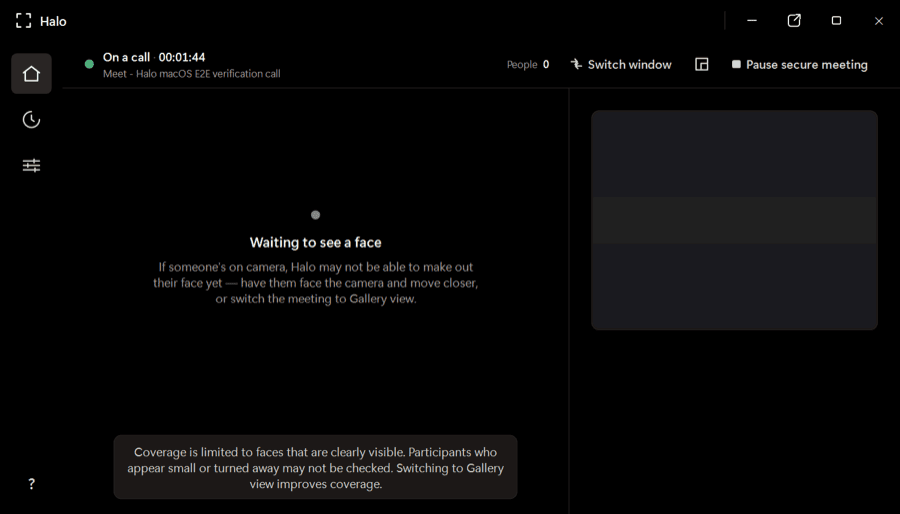
Halo checks every visible face while you’re on Zoom, Teams, or Meet and warns you when a face looks synthetic—all on your device, while there’s still time to act.
One app for the calls you already use
Native desktop apps and browser meetings—no plugins or meeting bots.
 Zoom
Zoom Microsoft Teams
 Google Meet
The product
Halo is a desktop app—not a post-call report and not another person joining your meeting. It stays out of the way until the evidence changes.
It watches for active Zoom, Teams, and Meet windows, then begins checking visible faces locally. No meeting bot, browser extension, or copied link.
Poor lighting, compression, motion, and small faces can distort a frame. Halo gathers evidence over time before it changes a participant’s verdict or raises an alert.
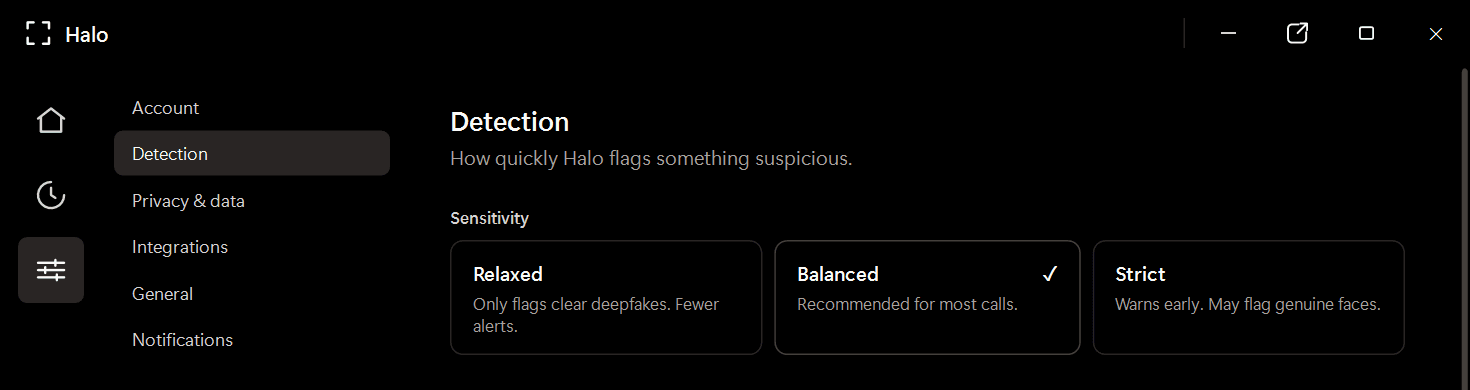
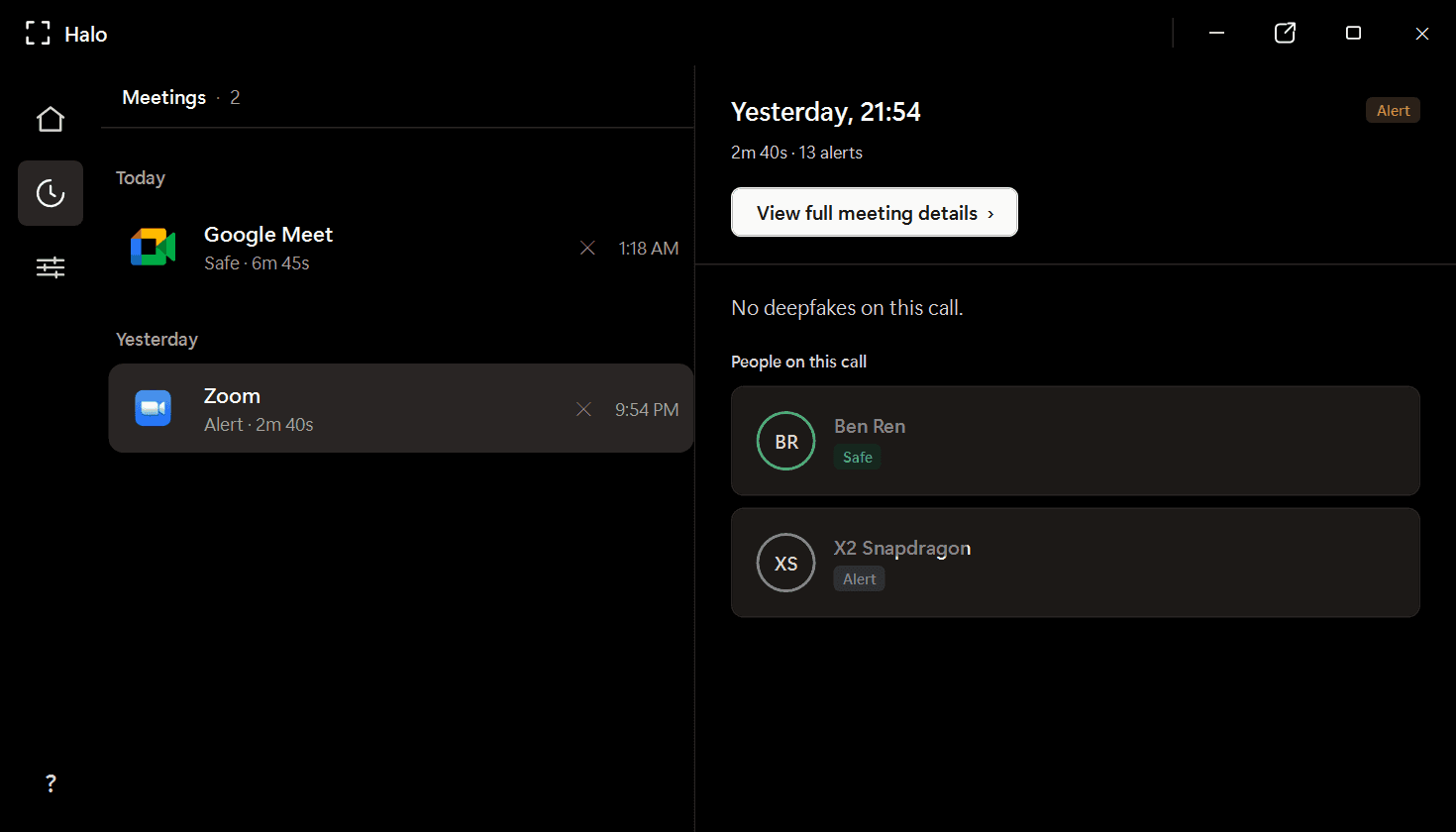
Review participant verdicts and alerts from a local meeting history. Video frames are analyzed in memory and discarded; Halo never uploads or records your call.
運作原理
Halo lives beside your conferencing app and follows the call from first face to final verdict.
將 Halo 下載到您的 Windows 電腦。它駐留在系統匣中,緊鄰您的會議應用程式——無需外掛,無需瀏覽器擴充功能。
在您交談的同時,Halo 會在您的裝置上逐格分析影片畫面中的每一張臉——大約每秒 4 次。
如果某張臉看起來是合成的,Halo 會在通話期間彈出警示——及時讓您停下並核實。
Private by design
Frames are checked in memory and discarded.
Detection continues locally without a video upload.
Halo reads the same rendered call window you see.
Where trust gets tested
Finance and treasury
~$25MIn the Arup fraud, a finance employee saw a familiar CFO and colleagues on a live call. Every face was synthetic. Halo is built for the moment before the transfer is approved.
HR and recruiting
1 in 4Gartner projects that one in four candidate profiles will be fake by 2028. Halo checks for synthetic and face-swapped candidates without sending the interview to a third party.
Personal plans
Download Halo, try the live product experience, then choose the plan that fits how you work.
Full Halo protection with monthly billing.
Download Halo$14.99 per month, billed yearly.
Download HaloOwn Halo outright, including future model updates.
Download HaloPlans are purchased securely inside Halo. Business deployment and volume licensing are available through our team.
常見問題
Halo 是一款裝置端深度偽造偵測應用程式,能夠即時監控您的視訊通話,並在合成人臉與換臉騙過您之前加以標記。它完全在您的 Windows 電腦上運作——任何影片畫格都不會離開您的機器。
不會。所有偵測都在您的裝置本機運作。Halo 在記憶體中分析即時畫格後即將其捨棄——它不錄製、不儲存、不傳輸會議影片。只有偵測結論與工作階段中繼資料會被保留,並儲存在您本機的機器上。
Halo 相容 10 多款會議應用程式,包括 Zoom、Microsoft Teams、Google Meet、WebEx、Skype、Slack huddles、GoTo Meeting 等——既支援原生桌面應用程式,也支援基於瀏覽器的會議。
偵測在您的裝置本機運作,與通話並行進行。沒有網路往返,因此不增加延遲,開銷也極小。
Halo 採用兩個互補 AI 模型的整合,兩者必須達成一致才會給出結論。相較於單模型偵測器,這大幅降低了誤報。每位參與者都會得到一個結論——安全、可疑或深度偽造——而非一個原始分數。
平台原生功能著重於存取與會議控制,而非偵測參與者的人臉是否為合成。Halo 專為即時合成媒體偵測打造,並相容您使用的每一個平台。
Halo 可在 Windows 10/11 上運作,同時支援 ARM64 與 x86/x64 硬體。最低需 4 GB 記憶體,約 1 GB 磁碟空間。
Available now for Windows
Install Halo once. Keep Zoom, Teams, and Meet. Get a clear warning when a visible face looks synthetic.
Windows 10/11 · x64 and ARM64 · Apple silicon preview in development