
01Automatic call protection
Halo notices the meeting before you need to think about it.
It watches for active Zoom, Teams, and Meet windows, then begins checking visible faces locally. No meeting bot, browser extension, or copied link.
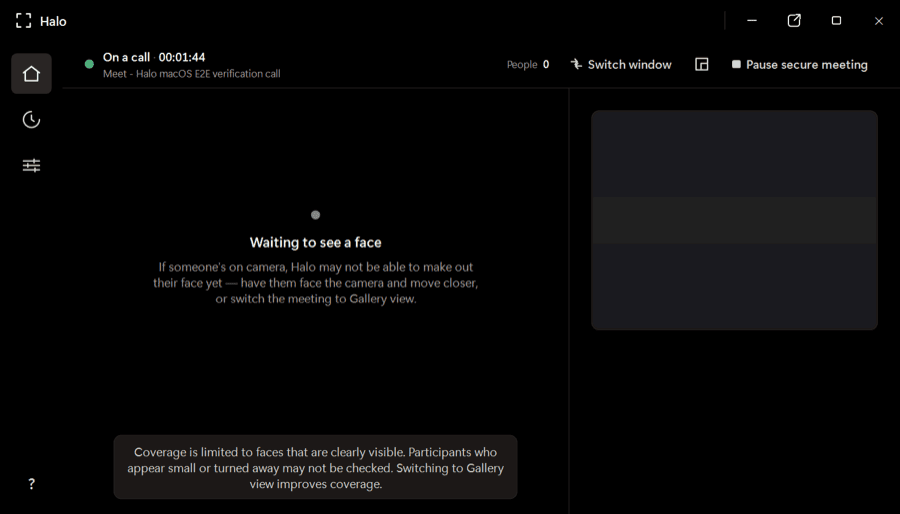
Halo checks every visible face while you’re on Zoom, Teams, or Meet and warns you when a face looks synthetic—all on your device, while there’s still time to act.
One app for the calls you already use
Native desktop apps and browser meetings—no plugins or meeting bots.
 Zoom
Zoom Microsoft Teams
 Google Meet
The product
Halo is a desktop app—not a post-call report and not another person joining your meeting. It stays out of the way until the evidence changes.
It watches for active Zoom, Teams, and Meet windows, then begins checking visible faces locally. No meeting bot, browser extension, or copied link.
Poor lighting, compression, motion, and small faces can distort a frame. Halo gathers evidence over time before it changes a participant’s verdict or raises an alert.
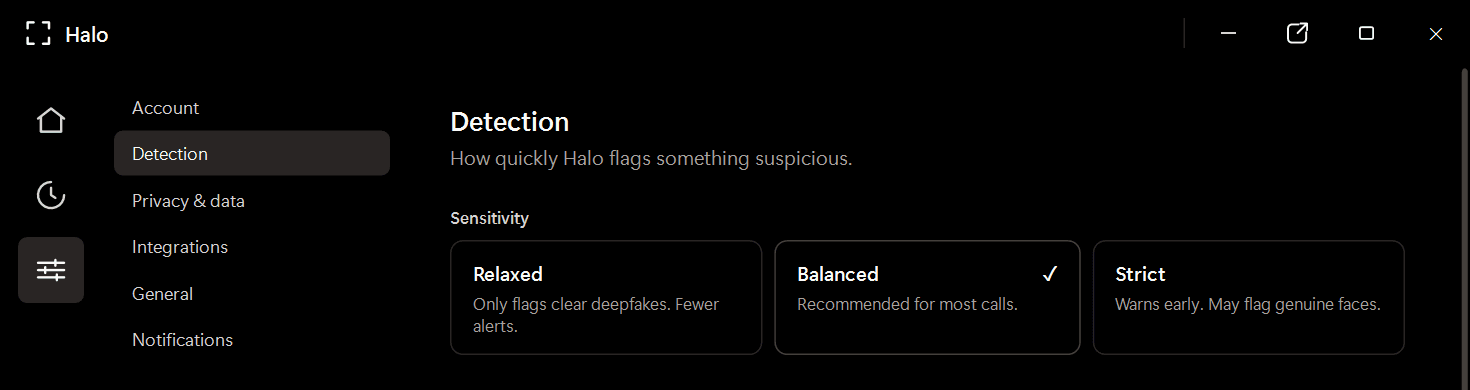
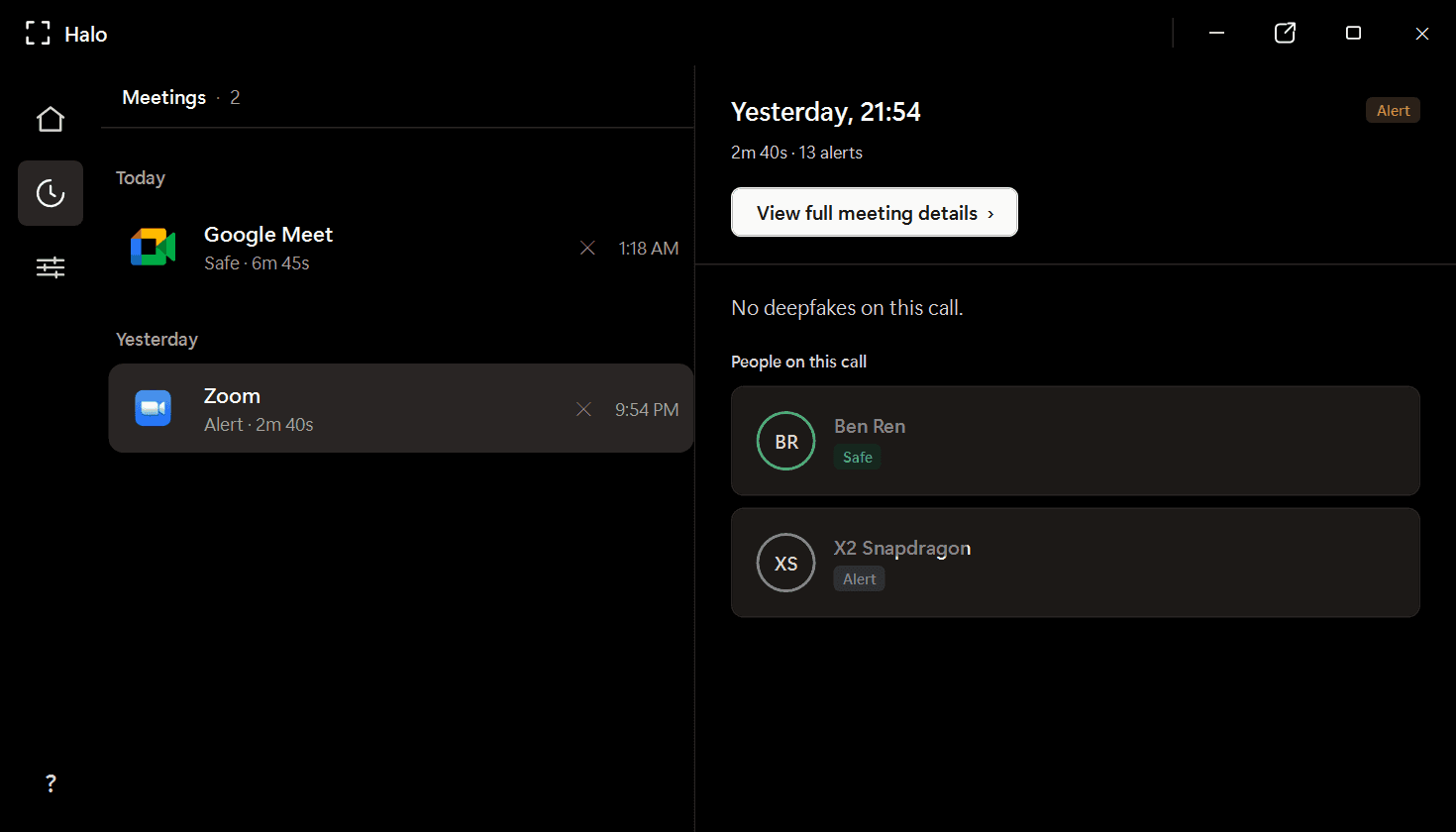
Review participant verdicts and alerts from a local meeting history. Video frames are analyzed in memory and discarded; Halo never uploads or records your call.
작동 방식
Halo lives beside your conferencing app and follows the call from first face to final verdict.
Halo를 Windows PC에 다운로드하세요. 회의 앱 옆 시스템 트레이에 상주합니다 — 플러그인이나 브라우저 확장 프로그램이 필요 없습니다.
대화하는 동안 Halo는 영상 프레임 속 모든 얼굴을 디바이스에서 프레임별로 분석합니다 — 대략 초당 4회.
얼굴이 합성된 것처럼 보이면 Halo는 통화 중에 경고를 표시합니다 — 멈추고 확인할 수 있는 시점에.
Private by design
Frames are checked in memory and discarded.
Detection continues locally without a video upload.
Halo reads the same rendered call window you see.
Where trust gets tested
Finance and treasury
~$25MIn the Arup fraud, a finance employee saw a familiar CFO and colleagues on a live call. Every face was synthetic. Halo is built for the moment before the transfer is approved.
HR and recruiting
1 in 4Gartner projects that one in four candidate profiles will be fake by 2028. Halo checks for synthetic and face-swapped candidates without sending the interview to a third party.
Personal plans
Download Halo, try the live product experience, then choose the plan that fits how you work.
Full Halo protection with monthly billing.
Download Halo$14.99 per month, billed yearly.
Download HaloOwn Halo outright, including future model updates.
Download HaloPlans are purchased securely inside Halo. Business deployment and volume licensing are available through our team.
FAQ
Halo는 영상 통화를 실시간으로 모니터링하여 합성된 얼굴과 페이스스왑이 당신을 속이기 전에 플래그 처리하는 온디바이스 딥페이크 탐지 애플리케이션입니다. 전적으로 Windows PC에서 작동하며 — 영상 프레임이 컴퓨터를 벗어나는 일은 결코 없습니다.
아니요. 모든 탐지는 귀하의 디바이스에서 로컬로 실행됩니다. Halo는 실시간 프레임을 메모리에서 분석한 후 폐기합니다 — 회의 영상을 녹화, 저장, 전송하지 않습니다. 보관되는 것은 탐지 판정과 세션 메타데이터뿐이며, 컴퓨터에 로컬로 저장됩니다.
Halo는 Zoom, Microsoft Teams, Google Meet, WebEx, Skype, Slack 허들, GoTo Meeting 등 10개 이상의 회의 애플리케이션에서 작동합니다 — 네이티브 데스크톱 앱과 브라우저 기반 회의 모두를 지원합니다.
탐지는 귀하의 디바이스에서 통화와 병행하여 로컬로 실행됩니다. 네트워크 왕복 통신이 없으므로 지연이 추가되지 않으며 오버헤드도 최소화됩니다.
Halo는 판정을 내리기 전에 반드시 일치해야 하는 두 개의 상호 보완적인 AI 모델 앙상블을 사용합니다. 이를 통해 단일 모델 탐지기에 비해 오탐이 크게 줄어듭니다. 각 참가자는 판정을 받습니다 — Safe, Suspicious, Deepfake 중 하나이며, 원시 점수가 아닙니다.
플랫폼 내장 기능은 접근 및 회의 제어에 중점을 두며, 참가자의 얼굴이 합성된 것인지 탐지하지는 않습니다. Halo는 실시간 합성 미디어 탐지를 위해 특별히 설계되었으며 귀하가 사용하는 모든 플랫폼에서 작동합니다.
Halo는 ARM64와 x86/x64 하드웨어 모두에서 Windows 10/11으로 작동합니다. 최소 사양은 RAM 4 GB, 디스크 여유 공간 약 1 GB입니다.
Available now for Windows
Install Halo once. Keep Zoom, Teams, and Meet. Get a clear warning when a visible face looks synthetic.
Windows 10/11 · x64 and ARM64 · Apple silicon preview in development