
01Automatic call protection
Halo notices the meeting before you need to think about it.
It watches for active Zoom, Teams, and Meet windows, then begins checking visible faces locally. No meeting bot, browser extension, or copied link.
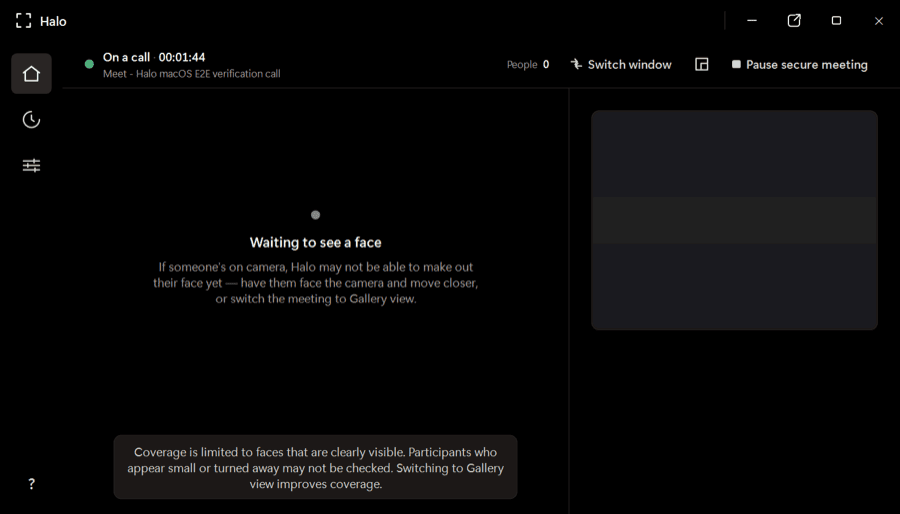
Halo checks every visible face while you’re on Zoom, Teams, or Meet and warns you when a face looks synthetic—all on your device, while there’s still time to act.
One app for the calls you already use
Native desktop apps and browser meetings—no plugins or meeting bots.
 Zoom
Zoom Microsoft Teams
 Google Meet
The product
Halo is a desktop app—not a post-call report and not another person joining your meeting. It stays out of the way until the evidence changes.
It watches for active Zoom, Teams, and Meet windows, then begins checking visible faces locally. No meeting bot, browser extension, or copied link.
Poor lighting, compression, motion, and small faces can distort a frame. Halo gathers evidence over time before it changes a participant’s verdict or raises an alert.
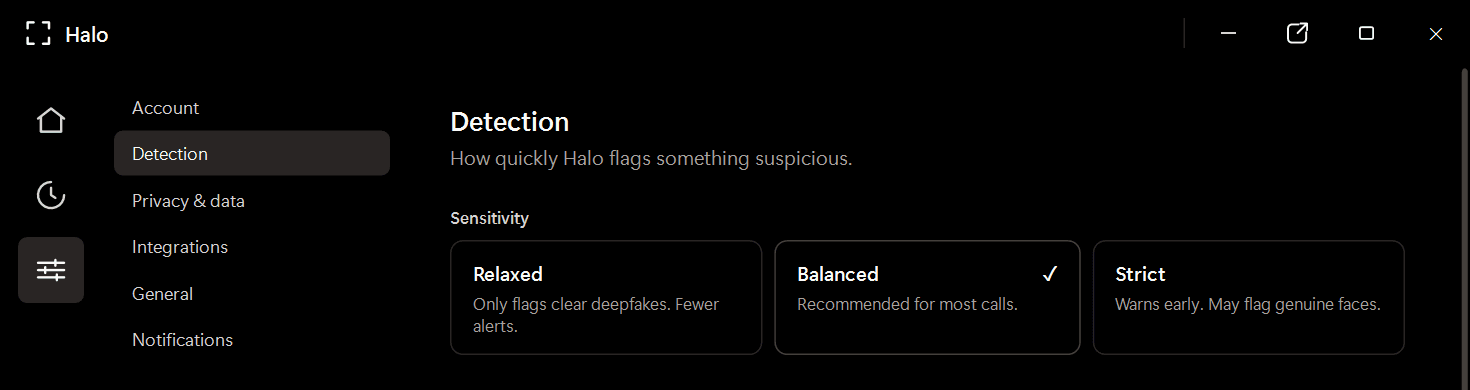
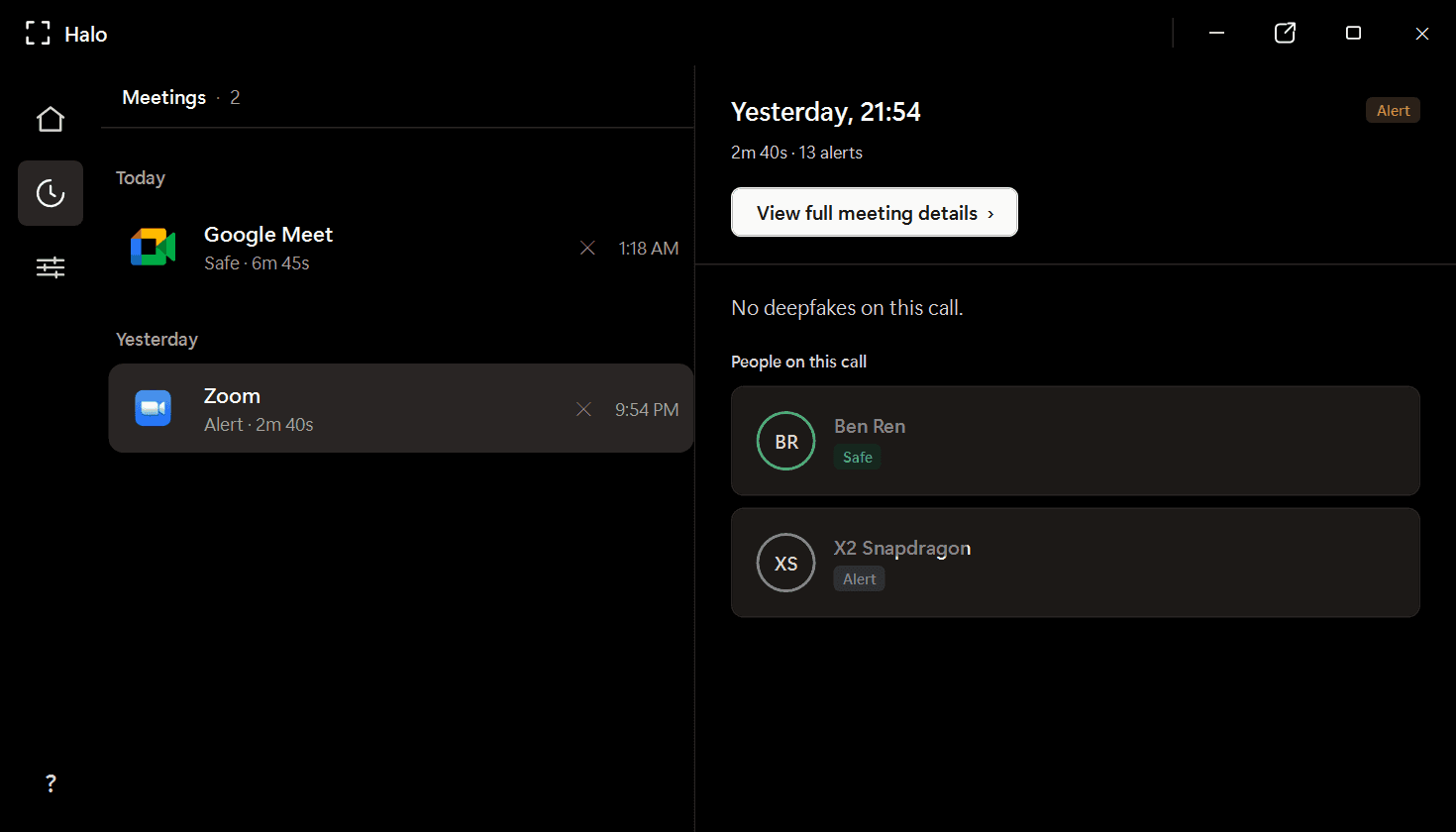
Review participant verdicts and alerts from a local meeting history. Video frames are analyzed in memory and discarded; Halo never uploads or records your call.
仕組み
Halo lives beside your conferencing app and follows the call from first face to final verdict.
HaloをWindows PCにダウンロードします。会議アプリの隣のシステムトレイに常駐します — プラグインもブラウザ拡張機能も不要です。
あなたが話している間、Haloは動画フレーム内のすべての顔をデバイス上でフレームごとに分析します — およそ毎秒4回。
顔が合成されたものに見える場合、Haloは通話中にアラートを表示します — 中断して確認できるタイミングで。
Private by design
Frames are checked in memory and discarded.
Detection continues locally without a video upload.
Halo reads the same rendered call window you see.
Where trust gets tested
Finance and treasury
~$25MIn the Arup fraud, a finance employee saw a familiar CFO and colleagues on a live call. Every face was synthetic. Halo is built for the moment before the transfer is approved.
HR and recruiting
1 in 4Gartner projects that one in four candidate profiles will be fake by 2028. Halo checks for synthetic and face-swapped candidates without sending the interview to a third party.
Personal plans
Download Halo, try the live product experience, then choose the plan that fits how you work.
Full Halo protection with monthly billing.
Download Halo$14.99 per month, billed yearly.
Download HaloOwn Halo outright, including future model updates.
Download HaloPlans are purchased securely inside Halo. Business deployment and volume licensing are available through our team.
FAQ
Haloは、動画通話をリアルタイムに監視し、合成された顔やフェイススワップがあなたを騙す前にフラグ付けするオンデバイスのディープフェイク検出アプリケーションです。すべてWindows PC上で動作し — 動画フレームがマシンの外に出ることは決してありません。
いいえ。すべての検出はお使いのデバイス上でローカルに実行されます。Haloはライブフレームをメモリ内で分析し、破棄します — 会議の動画を記録、保存、送信することはありません。保持されるのは検出の判定とセッションのメタデータのみで、マシン上にローカルに保存されます。
Haloは、Zoom、Microsoft Teams、Google Meet、WebEx、Skype、Slackのハドル、GoTo Meetingなど、10以上の会議アプリケーションで動作します — ネイティブのデスクトップアプリとブラウザベースの会議の両方に対応します。
検出はお使いのデバイス上で、通話と並行してローカルに実行されます。ネットワークの往復通信がないため、遅延が生じることはなく、オーバーヘッドも最小限です。
Haloは、判定を下す前に一致が必要となる2つの相補的なAIモデルのアンサンブルを使用します。これにより、単一モデルの検出器と比べて誤検出が大幅に削減されます。各参加者には判定が与えられます — Safe、Suspicious、Deepfakeのいずれかで、生のスコアではありません。
プラットフォームネイティブの機能は、アクセスや会議のコントロールに重点を置いており、参加者の顔が合成されたものかどうかの検出には対応していません。Haloはリアルタイムの合成メディア検出のために専用に設計され、お使いのあらゆるプラットフォームで動作します。
Haloは、ARM64とx86/x64の両方のハードウェアで、Windows 10/11上で動作します。最小要件はRAM 4 GB、ディスク空き容量約1 GBです。
Available now for Windows
Install Halo once. Keep Zoom, Teams, and Meet. Get a clear warning when a visible face looks synthetic.
Windows 10/11 · x64 and ARM64 · Apple silicon preview in development