
01Automatic call protection
Halo notices the meeting before you need to think about it.
It watches for active Zoom, Teams, and Meet windows, then begins checking visible faces locally. No meeting bot, browser extension, or copied link.
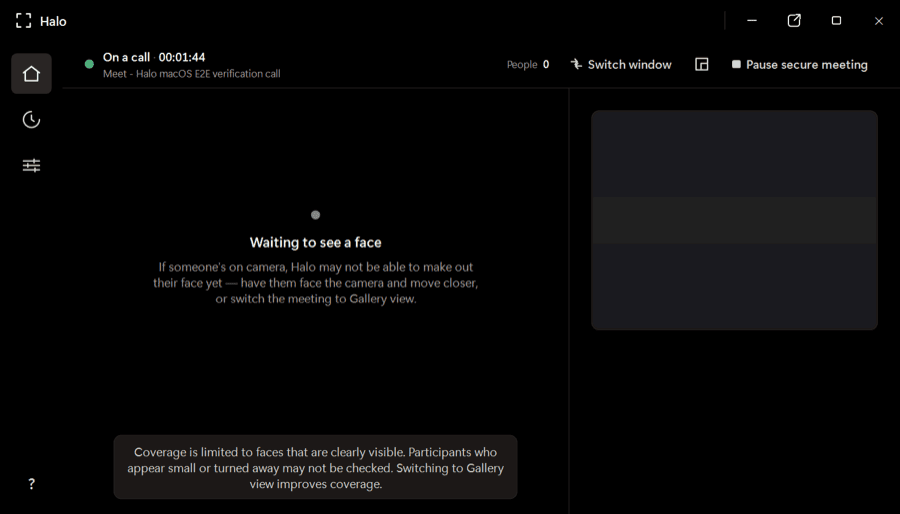
Halo checks every visible face while you’re on Zoom, Teams, or Meet and warns you when a face looks synthetic—all on your device, while there’s still time to act.
One app for the calls you already use
Native desktop apps and browser meetings—no plugins or meeting bots.
 Zoom
Zoom Microsoft Teams
 Google Meet
The product
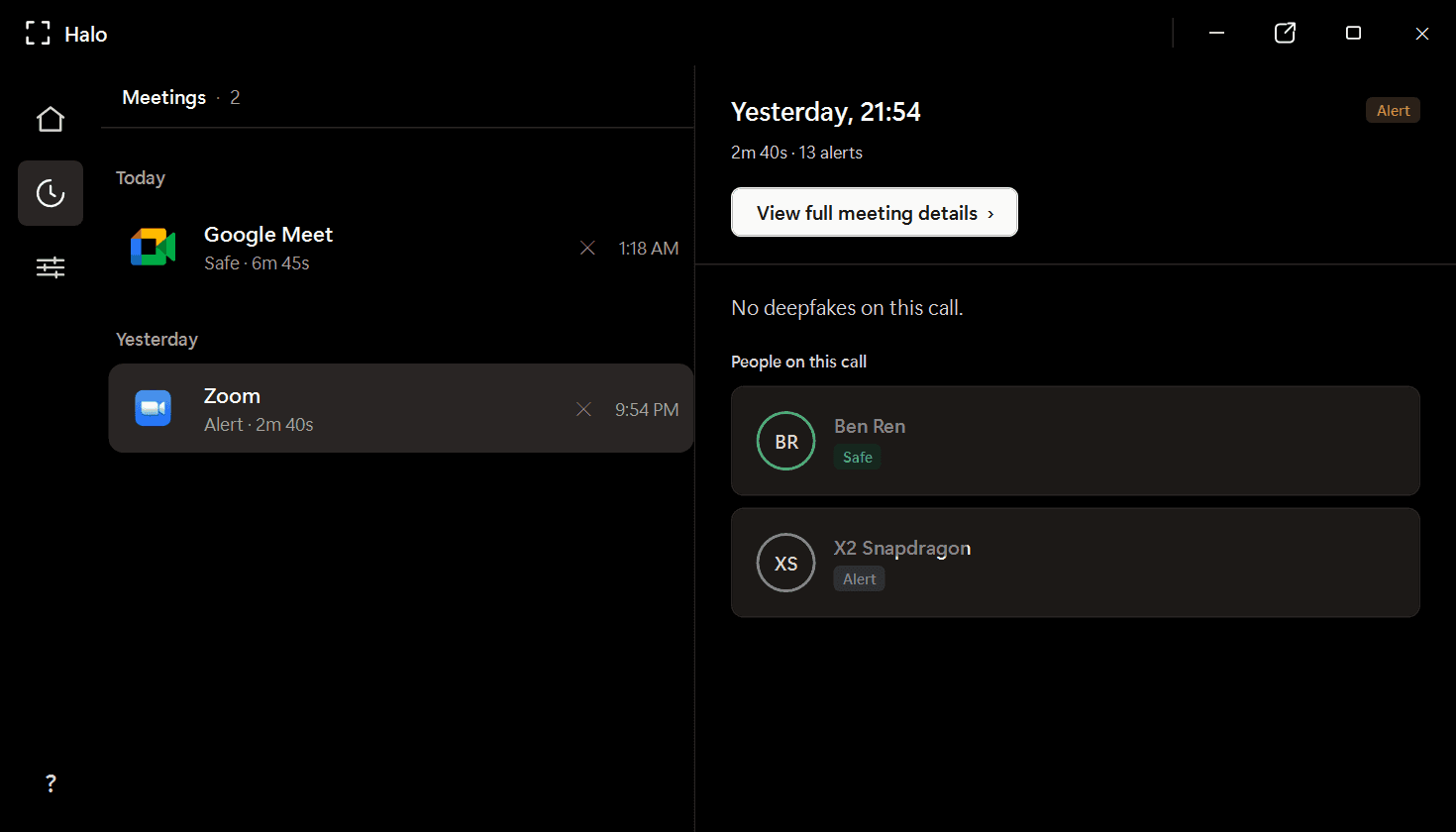
Halo is a desktop app—not a post-call report and not another person joining your meeting. It stays out of the way until the evidence changes.
It watches for active Zoom, Teams, and Meet windows, then begins checking visible faces locally. No meeting bot, browser extension, or copied link.
Poor lighting, compression, motion, and small faces can distort a frame. Halo gathers evidence over time before it changes a participant’s verdict or raises an alert.
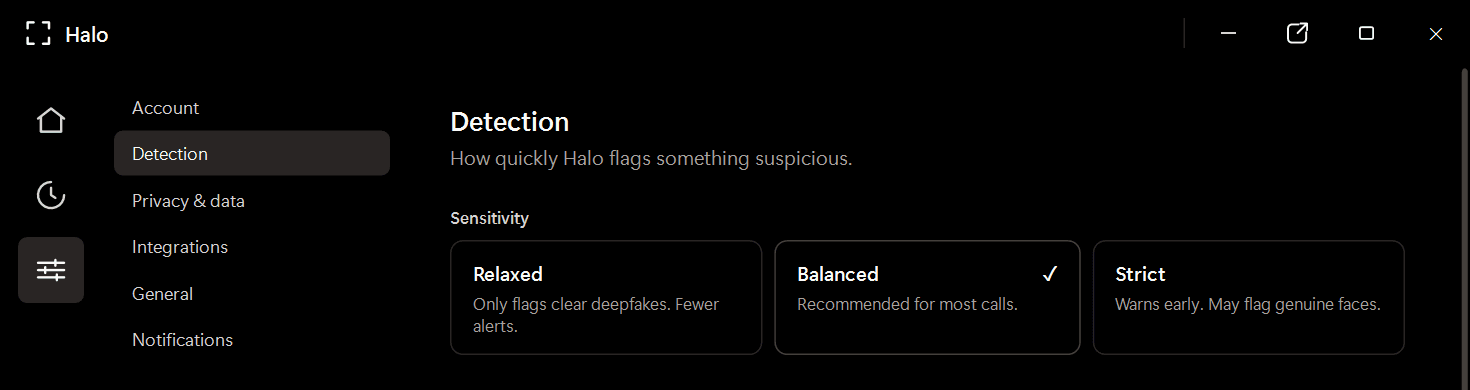
Review participant verdicts and alerts from a local meeting history. Video frames are analyzed in memory and discarded; Halo never uploads or records your call.
Cara kerjanya
Halo lives beside your conferencing app and follows the call from first face to final verdict.
Unduh Halo ke PC Windows Anda. Ia berada di system tray di samping aplikasi konferensi Anda — tanpa plugin, tanpa ekstensi peramban.
Saat Anda berbicara, Halo menganalisis setiap wajah dalam bingkai video secara bingkai demi bingkai di perangkat Anda — kira-kira 4 kali per detik.
Jika sebuah wajah tampak sintetis, Halo memunculkan peringatan selama panggilan — tepat waktu untuk berhenti dan memverifikasi.
Private by design
Frames are checked in memory and discarded.
Detection continues locally without a video upload.
Halo reads the same rendered call window you see.
Where trust gets tested
Finance and treasury
~$25MIn the Arup fraud, a finance employee saw a familiar CFO and colleagues on a live call. Every face was synthetic. Halo is built for the moment before the transfer is approved.
HR and recruiting
1 in 4Gartner projects that one in four candidate profiles will be fake by 2028. Halo checks for synthetic and face-swapped candidates without sending the interview to a third party.
Personal plans
Download Halo, try the live product experience, then choose the plan that fits how you work.
Full Halo protection with monthly billing.
Download Halo$14.99 per month, billed yearly.
Download HaloOwn Halo outright, including future model updates.
Download HaloPlans are purchased securely inside Halo. Business deployment and volume licensing are available through our team.
FAQ
Halo adalah aplikasi deteksi deepfake di perangkat yang memantau panggilan video Anda secara real-time dan menandai wajah sintetis serta faceswap sebelum dapat menipu Anda. Ia berjalan sepenuhnya di PC Windows Anda — tidak ada bingkai video yang meninggalkan mesin Anda.
Tidak. Semua deteksi berjalan secara lokal di perangkat Anda. Halo menganalisis bingkai langsung di memori dan membuangnya — ia tidak merekam, menyimpan, atau mentransmisikan video rapat. Hanya keputusan deteksi dan metadata sesi yang disimpan, disimpan secara lokal di mesin Anda.
Halo bekerja dengan 10+ aplikasi rapat termasuk Zoom, Microsoft Teams, Google Meet, WebEx, Skype, huddle Slack, GoTo Meeting, dan lainnya — baik aplikasi desktop native maupun rapat berbasis peramban.
Deteksi berjalan secara lokal di perangkat Anda, paralel dengan panggilan Anda. Tidak ada bolak-balik jaringan, sehingga tidak menambah latensi dan overhead-nya minimal.
Halo menggunakan gabungan dua model AI komplementer yang harus sepakat sebelum sebuah keputusan dikeluarkan. Hal ini secara drastis mengurangi false positive dibandingkan detektor model tunggal. Setiap peserta mendapat keputusan — Aman, Mencurigakan, atau Deepfake — bukan skor mentah.
Fitur bawaan platform berfokus pada akses dan kontrol rapat, bukan pada mendeteksi apakah wajah peserta itu sintetis. Halo dirancang khusus untuk deteksi media sintetis real-time dan bekerja di setiap platform yang Anda gunakan.
Halo berjalan di Windows 10/11, baik pada perangkat keras ARM64 maupun x86/x64. Minimum 4 GB RAM, ~1 GB ruang disk.
Available now for Windows
Install Halo once. Keep Zoom, Teams, and Meet. Get a clear warning when a visible face looks synthetic.
Windows 10/11 · x64 and ARM64 · Apple silicon preview in development