
01Automatic call protection
Halo notices the meeting before you need to think about it.
It watches for active Zoom, Teams, and Meet windows, then begins checking visible faces locally. No meeting bot, browser extension, or copied link.
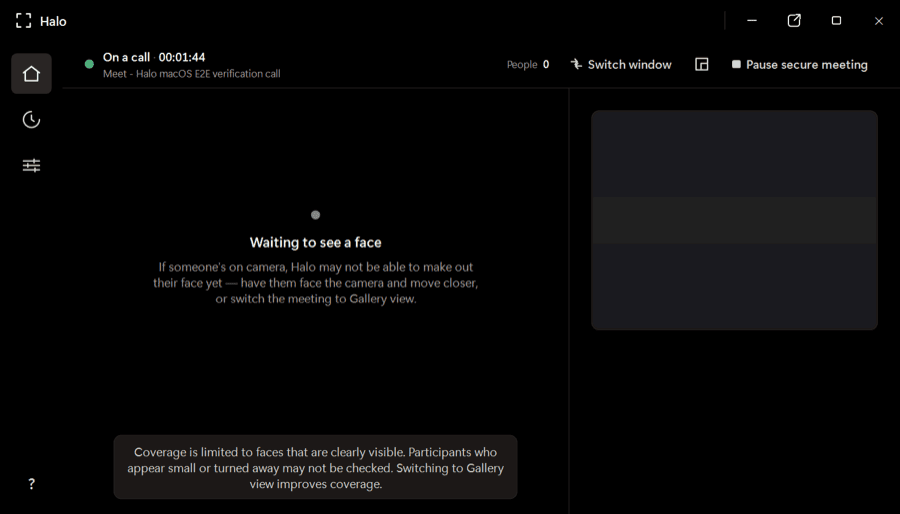
Halo checks every visible face while you’re on Zoom, Teams, or Meet and warns you when a face looks synthetic—all on your device, while there’s still time to act.
One app for the calls you already use
Native desktop apps and browser meetings—no plugins or meeting bots.
 Zoom
Zoom Microsoft Teams
 Google Meet
The product
Halo is a desktop app—not a post-call report and not another person joining your meeting. It stays out of the way until the evidence changes.
It watches for active Zoom, Teams, and Meet windows, then begins checking visible faces locally. No meeting bot, browser extension, or copied link.
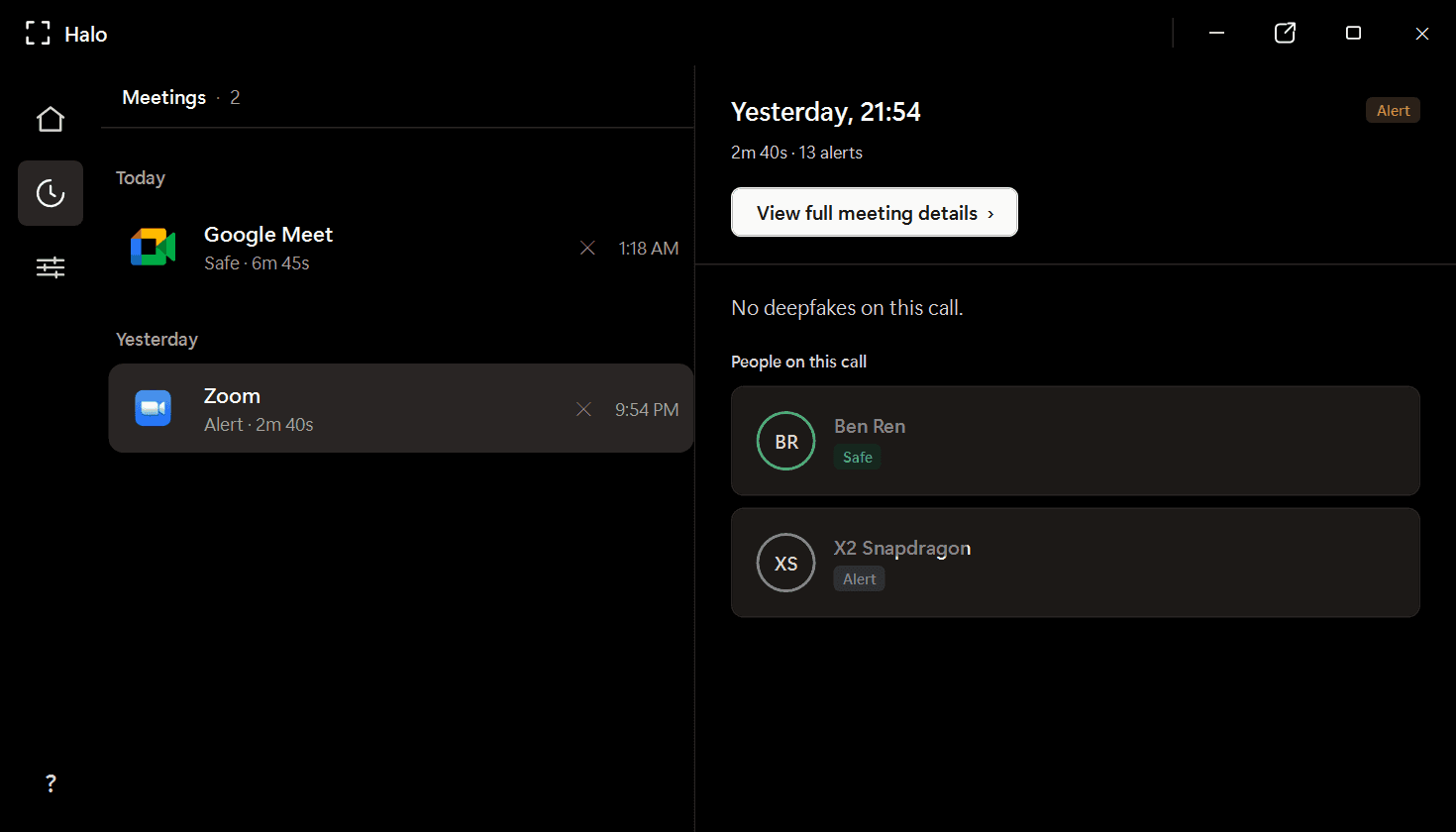
Poor lighting, compression, motion, and small faces can distort a frame. Halo gathers evidence over time before it changes a participant’s verdict or raises an alert.
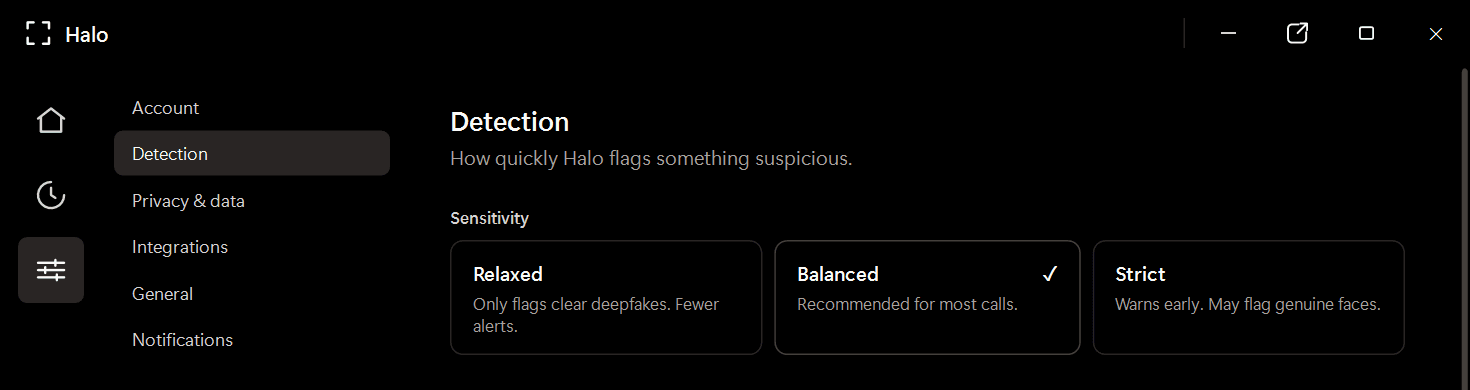
Review participant verdicts and alerts from a local meeting history. Video frames are analyzed in memory and discarded; Halo never uploads or records your call.
Cómo funciona
Halo lives beside your conferencing app and follows the call from first face to final verdict.
Descarga Halo en tu PC con Windows. Se sitúa en la bandeja del sistema, junto a tu aplicación de videoconferencia: sin plugins, sin extensiones de navegador.
Mientras hablas, Halo analiza cada rostro del fotograma de vídeo, fotograma a fotograma, en tu dispositivo, unas 4 veces por segundo.
Si un rostro parece sintético, Halo muestra una alerta durante la llamada, a tiempo para detenerte y verificar.
Private by design
Frames are checked in memory and discarded.
Detection continues locally without a video upload.
Halo reads the same rendered call window you see.
Where trust gets tested
Finance and treasury
~$25MIn the Arup fraud, a finance employee saw a familiar CFO and colleagues on a live call. Every face was synthetic. Halo is built for the moment before the transfer is approved.
HR and recruiting
1 in 4Gartner projects that one in four candidate profiles will be fake by 2028. Halo checks for synthetic and face-swapped candidates without sending the interview to a third party.
Personal plans
Download Halo, try the live product experience, then choose the plan that fits how you work.
Full Halo protection with monthly billing.
Download Halo$14.99 per month, billed yearly.
Download HaloOwn Halo outright, including future model updates.
Download HaloPlans are purchased securely inside Halo. Business deployment and volume licensing are available through our team.
PREGUNTAS FRECUENTES
Halo es una aplicación de detección de deepfakes en el dispositivo que supervisa tus videollamadas en tiempo real y señala rostros sintéticos e intercambios de rostro antes de que puedan engañarte. Se ejecuta por completo en tu PC con Windows: ningún fotograma de vídeo sale nunca de tu equipo.
No. Toda la detección se ejecuta localmente en tu dispositivo. Halo analiza los fotogramas en directo en memoria y los descarta: no graba, almacena ni transmite el vídeo de la reunión. Solo se conservan los veredictos de detección y los metadatos de la sesión, almacenados localmente en tu equipo.
Halo funciona con más de 10 aplicaciones de reuniones, incluidas Zoom, Microsoft Teams, Google Meet, WebEx, Skype, los huddles de Slack, GoTo Meeting y otras, tanto en apps de escritorio nativas como en reuniones desde el navegador.
La detección se ejecuta localmente en tu dispositivo, en paralelo con tu llamada. No hay ida y vuelta de red, por lo que no añade latencia y supone una sobrecarga mínima.
Halo utiliza un conjunto de dos modelos de IA complementarios que deben coincidir antes de emitir un veredicto. Esto reduce drásticamente los falsos positivos en comparación con los detectores de un solo modelo. Cada participante recibe un veredicto —Seguro, Sospechoso o Deepfake—, no una puntuación bruta.
Las funciones nativas de la plataforma se centran en los controles de acceso y de la reunión, no en detectar si el rostro de un participante es sintético. Halo está diseñado específicamente para la detección de medios sintéticos en tiempo real y funciona en todas las plataformas que utilizas.
Halo se ejecuta en Windows 10/11, tanto en hardware ARM64 como x86/x64. Mínimo 4 GB de RAM, ~1 GB de espacio en disco.
Available now for Windows
Install Halo once. Keep Zoom, Teams, and Meet. Get a clear warning when a visible face looks synthetic.
Windows 10/11 · x64 and ARM64 · Apple silicon preview in development